If you run a small or mid-sized business in the UK, you’ve almost certainly seen emails about “urgent payments”, “updated bank details” or “overdue invoices”. Some are just clumsy scams. Others are the first sign of something much more serious.
Two phrases come up again and again:
- Business Email Compromise (BEC)
- Fake invoice fraud / payment diversion fraud
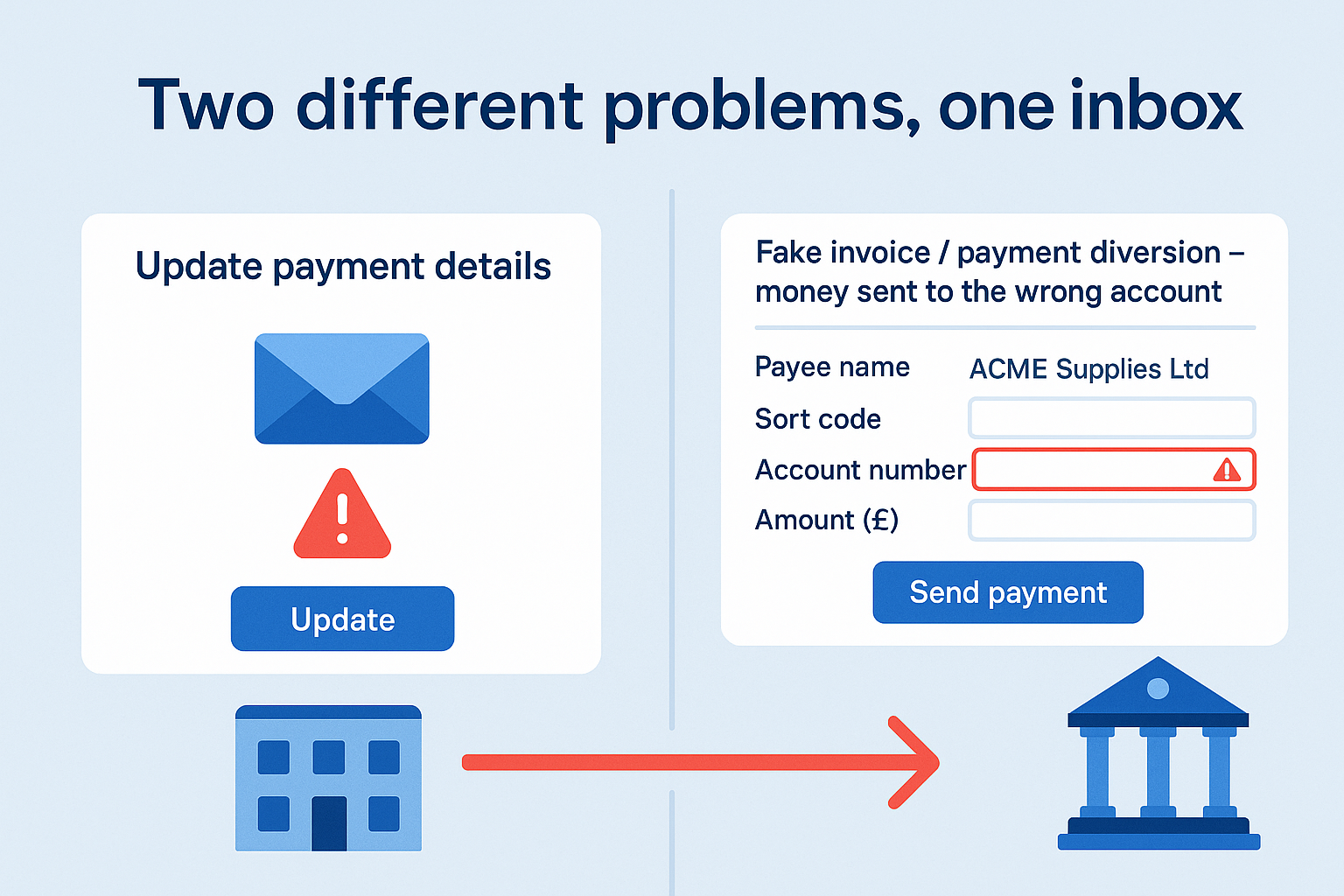
They’re related, but not the same thing. Understanding the difference matters, because it changes:
- How bad the situation really is
- Who might be liable
- What you need to do today to limit the damage
This guide is written in plain English for owners, directors and finance leads – not security people.
Quick definitions (no jargon)
What is Business Email Compromise (BEC)?
Business Email Compromise is when a criminal takes over or convincingly impersonates a real business email account so they can trick people into sending money or sensitive data.
That could be:
- Your finance inbox (for example
accounts@yourcompany.co.uk) - A director’s mailbox
- A supplier or client’s mailbox
They might:
- Log in directly (because they stole or guessed the password, or the user approved a malicious MFA prompt)
- Set up forwarding rules so they quietly read everything
- Register a near-identical domain (for example
@suppIier.co.ukwith a capital I instead of an L) and spoof your suppliers
The crucial point: the attacker is “inside the conversation”, reading or sending emails that look totally normal.
What is fake invoice fraud / payment diversion fraud?
Fake invoice fraud (often called payment diversion fraud or mandate fraud) is when a criminal tricks you into sending a genuine payment to the wrong bank account.
That might be:
- A fake invoice that looks like it’s from a real supplier
- A real invoice, but with changed bank details
- An email saying “we’ve updated our bank account, please use these details from now on”
In many cases, fake invoice fraud is enabled by Business Email Compromise – but not always. A fraudster can also just send convincing phishing emails without ever getting into anyone’s mailbox.
The relationship between the two
The easiest way to think about it is:
BEC is the method. Fake invoice fraud is one of the outcomes.
- BEC = how criminals get into or convincingly imitate your email
- Fake invoice fraud = how criminals steer money to the wrong account
You can have:
- BEC without payment fraud (yet)
- For example, an attacker sitting in the mailbox quietly reading and stealing data
- Fake invoice fraud without BEC
- For example, a mass phishing campaign with look-alike domains
- Both together
- The attacker has taken over a real mailbox and uses it to insert fake invoices into genuine email threads – the worst-case scenario for many SMEs
Why this matters to a UK SME director
From a director’s perspective, the key differences are:
| Business Email Compromise | Fake Invoice / Payment Diversion Fraud | |
|---|---|---|
| What’s happened? | Email account compromised or convincingly spoofed | Money sent to a criminal’s account instead of the real one |
| Biggest impact | Data exposure, ongoing access, reputational damage | Direct financial loss, supplier/client disputes |
| Who’s at risk? | Your business and your customers/suppliers | Mainly whoever sent the money (often your business) |
| Urgency | Extremely urgent – attacker may still be inside | Extremely urgent – need to contact bank & Action Fraud |
| Who’s involved? | IT/DFIR, legal, insurer, possibly ICO | Bank, Action Fraud, insurer, possibly legal |
In practice, you often have both problems at once:
- Your mailbox or your supplier’s mailbox has been compromised (BEC).
- Criminals change bank details or send new invoices (fake invoice / payment diversion fraud).
- Money is sent to the wrong account as an authorised push payment.
How Business Email Compromise actually happens
For most SMEs using Microsoft 365 or Google Workspace, attacks usually start with:
- A phishing email asking the user to “log in to view a document”
- A fake MFA prompt (MFA fatigue) that the user eventually approves
- A password reused from another breach
Once inside, attackers typically:
- Set up forwarding rules
- For example, anything with “invoice” or “payment” in the subject gets copied to an external email - Search the mailbox
- For phrases like “remittance advice”, “payment details”, “bank account”, “sort code” - Study how you write
- Tone, sign-off, email signatures, common suppliers - Wait for the perfect moment
- A big invoice, a tight deadline, a stressed director or finance assistant
Sometimes they never send emails themselves; they just quietly gather intel.
How fake invoice / payment diversion fraud plays out
Here’s a typical scenario for a UK SME:
- Your business expects an invoice from a regular supplier.
- Either:
- Their mailbox is compromised (BEC on their side), or
- Criminals are just spoofing their domain or using look-alike addresses. - You receive an invoice or bank detail change request that looks legitimate.
- No one independently verifies the change.
- Finance approves the payment and sends funds to the criminal’s account.
- Weeks later, the real supplier chases for payment – and everyone realises what’s happened.
At this point, you may be:
- Out of pocket
- Facing a difficult conversation with the supplier
- Trying to recover funds via the bank and Action Fraud
Five red flags directors should insist the team watches for
You don’t need to become a technical expert. What you can do is set clear expectations for your staff.
1. Bank details changing “out of the blue”
Any email saying something like:
“We’ve changed our bank details, please use the attached from now on.”
…should be treated as suspicious by default, especially if:
- The supplier is overseas
- The new account is with a different bank or country
- There’s wording about “urgency”, “year-end”, “audit” or “new regulations”
Rule: No bank detail change is actioned without voice verification using a known, independently sourced phone number.
2. New urgency and pressure
Fraudsters love phrases like:
- “Payment must be made today or services will be suspended”
- “The CEO has approved this, please do not delay”
- “If this isn’t paid, we will escalate legally”
Any sudden change in tone from a supplier should ring alarm bells.
3. Slightly “off” email addresses or domains
Look for:
- Extra characters:
@supplier-payments.coinstead of@supplier.co.uk - Letter swaps:
@suppIier.co.uk(capital I) vs@supplier.co.uk(L) - Reply-To addresses different from the From line
Train staff to double-click the sender in Outlook and actually read the full address.
4. Unusual payment amounts or references
Red flags include:
- Invoices just under typical approval limits
- Different currency than normal
- Vague descriptions (“consultancy services”, “project fees”) with no detail
- Requests to pay a different company name to the one on the contract
5. Inbox “weirdness”
BEC often shows up as:
- Messages marked as read that no one remembers reading
- Sent items the user doesn’t recognise
- Forwarding rules that no one set up
- MFA prompts appearing unexpectedly
If any of this is reported, treat it as a potential security incident, not just “IT weirdness”.
What to do if you suspect Business Email Compromise
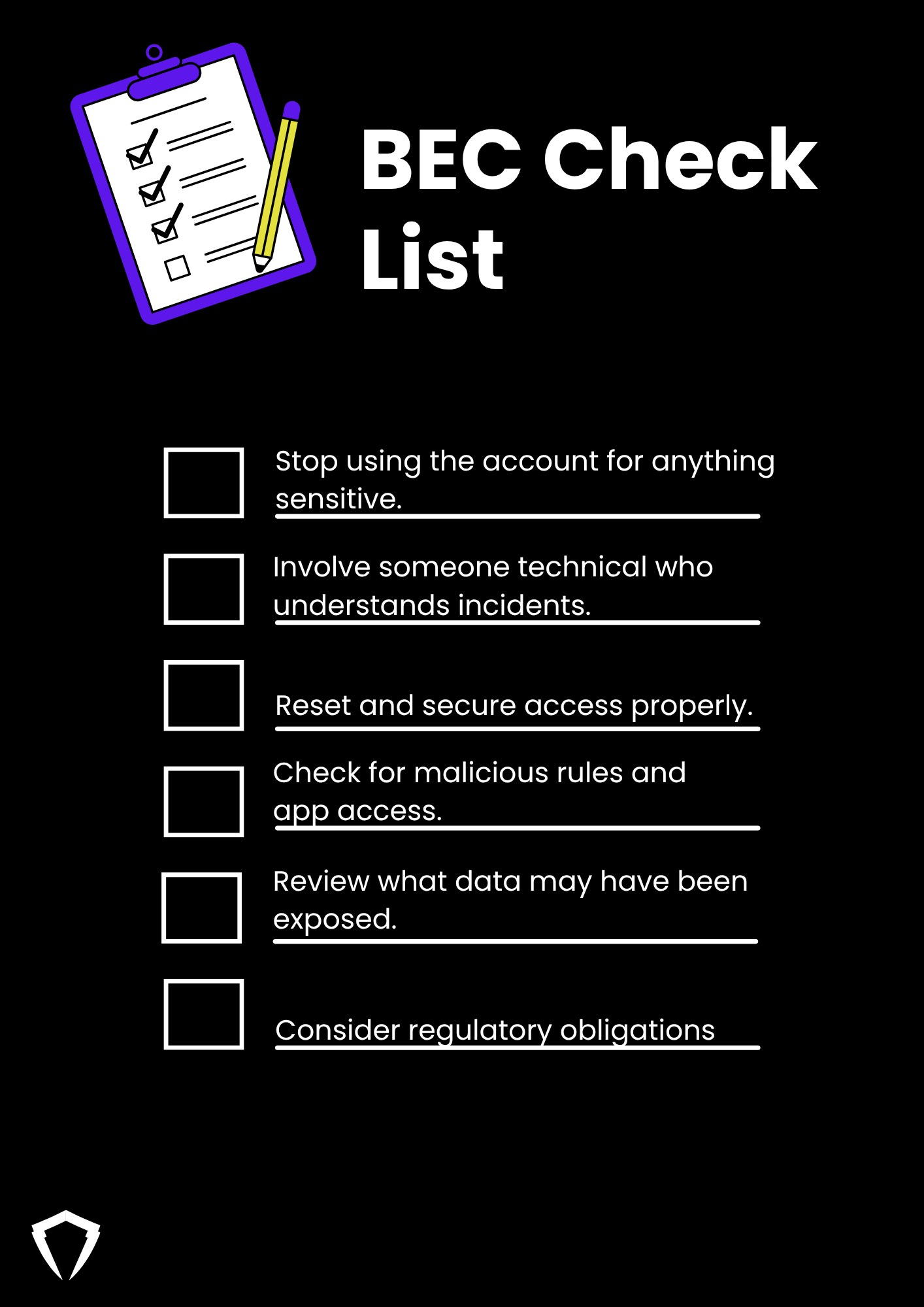
If you think an email account (yours or a supplier’s) has been compromised:
-
Stop using the account for anything sensitive
Avoid tipping the attacker off with confrontational replies. -
Involve someone technical who understands incidents
- Your IT team or MSP may be able to help.
- In more serious or unclear situations, consider calling a digital forensics and incident response (DFIR) provider who deals with BEC regularly. -
Reset and secure access properly - Reset passwords for the account and any linked accounts.
- Enforce strong MFA if it isn’t already on. -
Check for malicious rules and app access - Look for forwarding rules, auto-delete rules, or “folder tidy” rules.
- Review any third-party applications with access to email or files. -
Review what data may have been exposed - Invoices, contracts, customer lists, personal data.
- This is where a proper forensic review really helps. -
Consider regulatory obligations - If personal data is involved and there’s a real risk to individuals, you may have to notify the ICO and affected clients/customers. Legal advice is strongly recommended here.
What to do if you think you’ve paid a fake invoice
If you suspect payment diversion fraud:
-
Contact your bank immediately - Ask them to invoke fraud processes and try to freeze or recover the funds.
- This is time-critical – minutes and hours matter. -
Report to Action Fraud (or Police Scotland if you’re in Scotland) - Action Fraud: online or by phone on 0300 123 2040.
-
Tell the genuine supplier or client - They need to know their details are being abused (or that their mailbox may be compromised).
-
Preserve evidence - Don’t delete emails, invoice PDFs or logs.
- Ask IT or your provider to keep relevant email and access logs. -
Review your internal processes - How was this approved?
- Which checks were skipped?
- Where can you add a simple verification step next time?
Practical controls directors can ask for (that aren’t just “more training”)
You don’t need a massive security budget to make BEC and fake invoice fraud much harder.
1. A simple call-back policy for bank changes
- Any change of bank details must be verified via a phone call using a number you already have on file (not from the email).
- No exception, even for “urgent” payments or directors.
2. Dual control on payments
- For payments over a certain amount, require two people to approve:
- For example, finance plus a director.
- The second approver checks:
- Bank details match what’s on record
- Email addresses are correct
- The request makes business sense
3. Lock down email security basics
Ask your IT team or provider to confirm, in writing, that:
- MFA is enforced for all email accounts
- Mailbox auditing and basic logging are enabled
- Staff can easily report phishing emails (for example a report button in Outlook)
4. Keep public information tidy
Fraudsters scrape websites and LinkedIn for:
- Org charts and staff contact details
- Direct dial numbers and personal emails
- Who signs off payments
You don’t need to hide completely, but think about what you actually need to publish.
Talking about this with your board or fellow directors
When you raise this with other leaders, keep it simple:
- “BEC is when someone gets into or convincingly impersonates our email.”
- “Fake invoice fraud is when we send money to criminals’ accounts.”
- “The risk isn’t just losing money once – it’s ongoing access, reputational damage, and regulatory trouble if personal data is involved.”
You can frame investment in controls and incident response as:
- Reducing the chance of a major, uninsurable loss
- Reducing downtime and chaos when something does happen
- Showing due diligence to regulators, insurers and key customers
When to call in a specialist
You probably need external DFIR / incident response help if:
- You’re not sure if the attacker is still in your systems
- Multiple mailboxes are affected
- There are signs of wider access (file sharing platforms, CRM, cloud storage)
- You handle sensitive customer data or regulated data
- Your bank or insurer is asking for a formal report
This is where an incident response specialist can:
- Confirm what actually happened
- Contain and evict the attacker
- Gather evidence for banks, insurers, regulators and legal teams
- Help you fix the weaknesses that made the attack possible
Wrapping up – the one-page summary for your team
You can share this with staff as a bottom-line message:
- BEC = email account taken over or convincingly faked.
- Fake invoice fraud = we send real money to the wrong account.
- The two often go together.
- Never change bank details based only on an email. Always verify using a known phone number.
- If something about an invoice or payment request feels “off”, stop and ask – even if it appears to come from a director.